AI sales agents: what an AI SDR does and which model fits
Quick answer
AI sales agents, or AI SDRs, do parts of a sales development rep's job: they find leads, research accounts, write outreach, follow up and sort replies. There are two models. Hands-off AI SDRs such as 11x, Artisan and AiSDR run outbound on their own once you set them up. Research-first agents draft the work and a person approves what goes out. Sales-led B2B teams with large deals usually start with approvals.
 By Tim Scheuer, Co-founder of Oxygen · Updated November 10, 2026
What is an AI sales agent, or AI SDR?
An AI sales agent is software that does steps of outbound prospecting a sales development rep (SDR or BDR) would do by hand. The job: pick accounts that fit your ideal customer profile and find the right people and their contact data. Then research why now is a good moment, write a first message and follow-ups, handle replies and hand interested leads to an account executive. "AI SDR", "AI BDR" and "AI sales agent" are mostly vendor names for the same idea.

11x describes its AI SDR, Alice, as picking target accounts from live signals and researching each prospect. She writes per-prospect copy rather than filling template variables, classifies replies and books the meeting when interest is confirmed. That list is a fair map of the category. Tools differ in which of those steps run without a person looking, where the lead data comes from, and how you pay.
- Account and lead selection: who to contact, from a database, signals or your own CRM.
- Research: company and person context that makes a message specific.
- Writing: first touch, follow-ups and replies, per channel.
- Sending and pacing: mailboxes, LinkedIn accounts, daily limits and stops on reply.
- Reply handling: triage, drafted answers, meeting booking or hand-off to a rep.
Sources: 11x docs: Alice overview
Two models: hands-off AI SDRs and research-first agents
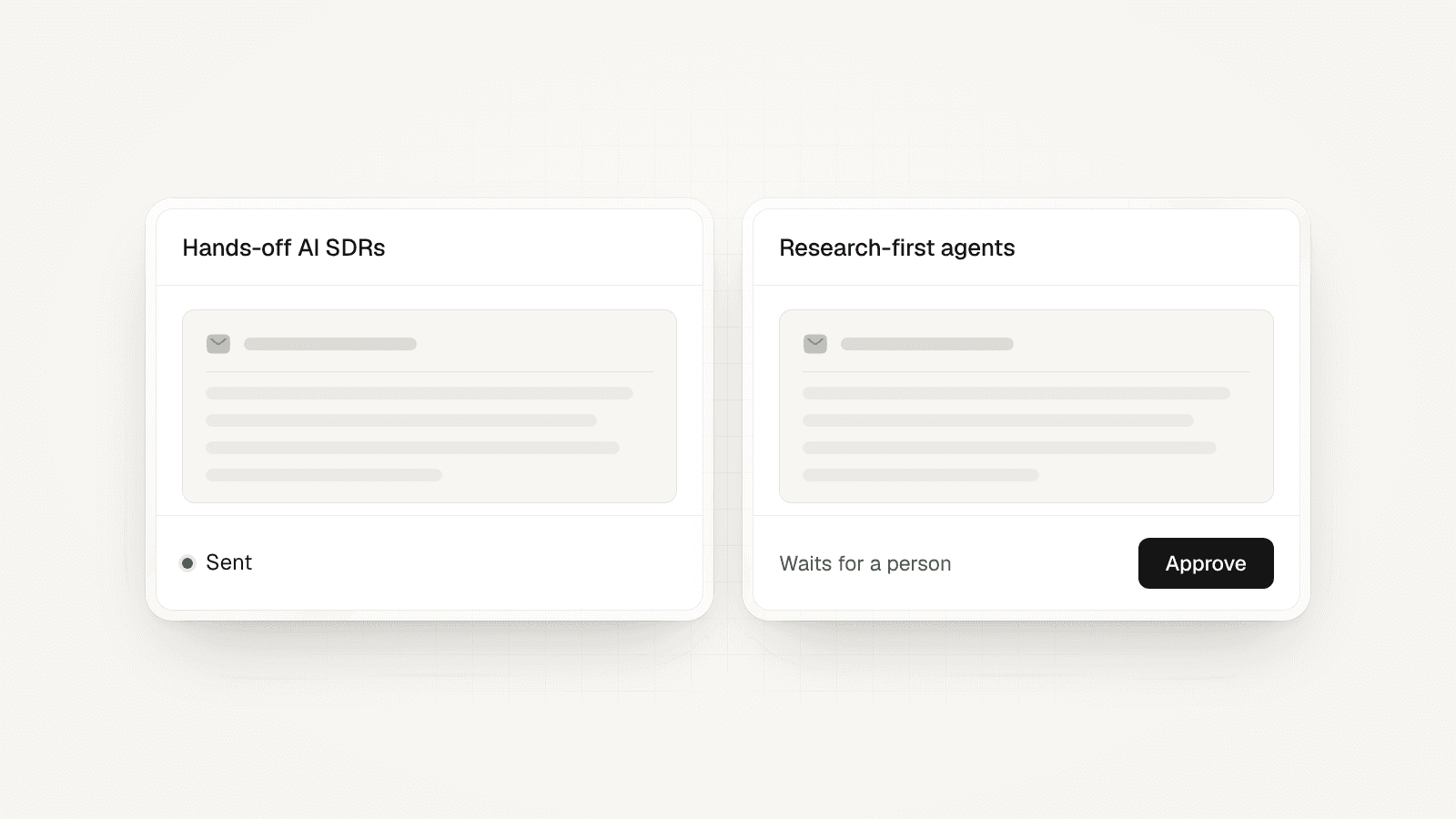
Hands-off AI SDRs run outbound for you once a campaign is live. Artisan says its AI BDR, Ava, runs outbound end to end: finding and enriching leads, writing and sending outreach, handling replies and booking meetings. AiSDR calls itself a platform that automates outbound across all stages. Its agent, Ami, proposes plays from your website and reviews each campaign after about two weeks. 11x's Alice runs one cadence across five channels: email, phone, LinkedIn, text messages and WhatsApp.

Research-first agents do the same research and drafting, then stop before anything leaves your workspace. A person reviews the list, the copy and the spend, and approves the send. Software still does most of the work, and your team decides who hears from you and with what message.
The line between the two is softer than the marketing suggests. All three hands-off vendors ship approval controls. 11x lets you review every message, route messages to a named approver or run on Autopilot, set per segment. Artisan has a "Require approval before sending" setting, and without it Ava sends on her own once the campaign is live. AiSDR keeps your first campaign in draft until you approve it and offers a co-pilot mode for replies. The real question is which mode a tool is built around, and what it costs you to stay in that mode.
Sources: Artisan homepage, AiSDR LLM information page, 11x docs: Alice overview, 11x docs: brand protection and approval modes, Artisan help: campaign settings
What hands-off AI SDRs do well, and where they fall short
Volume and consistency are the strengths of hands-off AI SDRs. They bundle the parts most teams struggle to assemble. Every 11x plan includes managed Gmail mailboxes with domain setup, warm-up, inbox rotation and monitoring, and contact data is bundled in. AiSDR includes research, lists and writing inside $1.50 per person contacted on pay-as-you-go. Artisan caps how many new prospects Ava contacts per day and can answer replies on Autopilot, including booking meetings. For a team with a broad market, a short sales cycle and no SDRs, that is real capacity without hiring.
Their weak spots follow from the same design. Copy that no one reads before it sends can misstate your product or misjudge a prospect. 11x's own documentation warns that teams who start on Autopilot and later find a problem have usually already sent the message that caused it.
Pricing tends to assume volume. 11x charges per lead, on an annual contract by default. Its Growth plan is listed from $3,750 a month billed annually for 2,000 new prospects, while its FAQ says Growth starts at $36,000 a year. AiSDR positions itself as added capacity, not a replacement for your SDRs.
Sources: 11x Alice pricing, AiSDR pricing, Artisan help: campaign settings, 11x docs: brand protection and approval modes, AiSDR LLM information page
When high-ACV, sales-led teams should prefer approval-first
Which AI SDR tools work for B2B companies with high contract values? Mostly the ones you run with approvals on. Say deals are worth tens of thousands a year, your market is a few thousand named accounts and five people sit on each buying committee. Then each contact is expensive to waste. One wrong message to a VP at a target account costs more than the hours an SDR saves by not reading it.
Vendors say the same thing in their docs. 11x recommends an approval workflow for regulated industries and named strategic accounts. It tells you to move from review to Autopilot in order, and to read 15 to 20 drafts on a new segment before anything sends. In practice, teams with large deals get most of the value from the research and drafting. They keep the send decision with a BDR or an account executive who knows the account.
- Prefer approval-first when: deals are large, the account list is finite, accounts are owned by named reps, or your industry is regulated.
- A hands-off AI SDR can fit when: the market is broad, deals are small, and a bad first touch costs little.
- Either way: start on one narrow segment, read the drafts, and move to less review only once the output holds up.
Which AI agent can hand off SDR leads to account executives?
Any agent that writes the account executive a handoff note: who replied, what they said, the research, messages sent, the next step and its owner. To compare AI agents that coordinate SDRs and account executives (AEs), ask: could the AE act on the note without asking anyone? Moving from an SDR-led to an agent-led model keeps this step. Agents take over the research, sequences and reply sorting, and the AE decides what happens next.

11x routes some replies to a person "with the conversation context attached". It warns that an escalation nobody watches "is worse than no escalation, because it looks handled". On Autopilot, Artisan's Ava books meetings with the sender who has been talking to the lead, or takes turns across a group of reps.
In OXYGEN, a reply stops the sequence on every channel and lands in the inbox, where it can be marked Interested. The person's CRM record shows the thread, the sequence and its touches. To hand off, make the AE the person's owner, add a deal they own and file a task for the next step. An Oxygent, OXYGEN's in-app AI agent, can do this and write the note when you ask. OXYGEN has no built-in lead routing: nothing picks an AE on its own when someone replies.
OXYGEN co-founder Tim Scheuer keeps the send decision with a person. His September 2026 post says his Reply Manager, one of his Grok Bot agents, drafts his LinkedIn replies, and "Nothing goes out without my yes". Here is the next step of the made-up Acme Software example in our agent handoffs guide:
- Who replied: Acme's VP Sales, on LinkedIn, at step 2 of 3.
- What they said: "How would this work with HubSpot? I'm free Tuesday." Marked Interested.
- Research: 140 staff, hiring two SDRs, HubSpot named in a job post, each with its source.
- Messages sent: an email on day 1 and a LinkedIn message on day 4. The reply stopped the sequence.
- Next step: a call on Tuesday, with a short HubSpot answer ready.
- Owner: the AE for software accounts, from today. The agent stops writing to Acme.
Sources: 11x docs: Smart Replies and escalation, Artisan help: campaign settings, Tim Scheuer on LinkedIn: 8 GTM employees on Grok Bot (September 2026)
How to evaluate an AI sales agent
Run a pilot on one segment you know well, so you can judge the research and the copy. Then ask each vendor these eight questions. Two are about rules other companies set. Google requires bulk senders, those sending more than 5,000 messages a day to Gmail accounts, to set up SPF, DKIM and DMARC. They must also offer one-click unsubscribe and keep reported spam below 0.30%. LinkedIn says it does not permit third-party software, including bots, that automates activity on its site. Members who use it risk having their accounts restricted or shut down.
- Data source: its own contact database, a waterfall that tries one provider after another, or your CRM, and what you pay when nothing is found.
- Channels: which channels one sequence can combine, and whether a reply on any of them stops the lead.
- Approvals: what waits for a person by default, per segment or per step, and who can switch it off.
- Deliverability: whose mailboxes and domains send, warm-up, daily limits, and what happens on bounces.
- LinkedIn account risk: how actions are paced, which account sends, and what happens if it is restricted.
- Cost model: per person contacted, per seat, or per workspace in credits, and the contract length.
- Handoff: how an interested reply reaches your AE, with what context, and who owns the lead next.
- Pipeline and ROI: count meetings held and pipeline created per segment, not emails sent.
Sources: Google: email sender guidelines, LinkedIn help: prohibited software and extensions
Where OXYGEN fits: an agentic GTM platform you can run research-first
OXYGEN is the agentic GTM platform for B2B GTM teams: one workspace where AI agents do GTM work alongside your team. GTM means go-to-market: the sales and marketing work that wins customers. It can run research-first, and each person chooses whether their sends wait for approval. An Oxygent builds lead lists, writes sequences and runs the work. AI columns research and write over every row of a table, and a research agent cites its sources. Your Oxygent chat starts on Auto-approve, so sends and paid steps run without an approval card, each within its credit cap and recorded. For named accounts, switch the chat to Ask for approval.
One sequence mixes email with either LinkedIn or WhatsApp steps, plus call tasks in beta. It tests up to 26 versions of a step and stops a lead when they reply on any channel.
LinkedIn runs in the cloud with no browser extension, and each LinkedIn account you connect uses $34 of credits a month. Lead data comes from waterfalls across 18 email and 13 phone providers. On plan credits, email and phone finders bill only on a hit, but email checks bill even on a miss. Replies land in one inbox with AI triage and drafted answers.
There is no AI SDR in OXYGEN that runs without you: you start the work and set its limits, and every send is recorded. Your own AI assistant can also run it from the command line (CLI) or through MCP, the standard that lets AI assistants use other apps. Pricing is one plan per workspace from $49 a month in credits. There is no seat per user, so BDRs, account executives and founders share it.
- A CRM with a deals pipeline on every plan, the free one included.
Looking for a ranked list of AI SDR tools?
This page explains the category. For the shortlist, the best AI SDR tools guide compares seven tools from each vendor's own pages, on pricing, approvals, channels, data, CRM and MCP. Weighing OXYGEN against one hands-off AI SDR? The Artisan and AiSDR comparisons go row by row, and the pricing page shows what a workspace costs in credits.
What a research-first workflow looks like in OXYGEN

Research a target account list
Build a table of 50 B2B SaaS companies in the US with 200 to 1,000 employees that are hiring SDRs, and research each one's recent news.What you getThe Oxygent creates the table and adds AI columns for the research, and shows the cost in credits. With Ask for approval on, larger paid steps, such as finding contact data across the rows, wait for you.
Draft a sequence for named accounts
Write a three-step email and LinkedIn sequence for the VPs of Sales in this table, using each company's research column.What you getThe Oxygent drafts the sequence in your workspace, and nothing sends until it starts. Switch the chat to Ask for approval to review the copy and approve the start.
Work the replies
Summarize this week's replies, sort out the interested ones, and draft answers I can review.What you getReplies sit in one inbox with AI triage and drafted answers; you edit and send them, and repliers are filed as people in the CRM.
What OXYGEN does not do here
- No AI SDR that runs without you: you start the work and set its limits, and every send is recorded.
- No contact database of its own: lead data comes from provider waterfalls on credits, or Apollo's database on your own Apollo key.
- No Salesforce sync; HubSpot syncs both ways.
- No SMS step, and calls are in beta.
- LinkedIn automation carries account risk on any tool, OXYGEN included.
Frequently asked questions
What is an AI SDR?
An AI SDR is software that does parts of a sales development rep's job: picking accounts, finding contacts, researching them, writing outreach, following up and handling replies. Some, such as 11x, Artisan and AiSDR, can run outbound on their own once set up. Others, such as OXYGEN, research and draft, and a person starts the work and can make sends and sequence starts wait for approval.
Do AI SDR tools work for B2B companies with high contract values?
They work best there with approvals on. With large deals and a finite list of named accounts, each contact is expensive to waste. Most of the value comes from research and drafting, while a BDR or account executive approves each send. 11x itself recommends an approval workflow for named strategic accounts.
Can AI agents replace SDRs, or should I still hire one?
AI agents can take over much of an SDR's first outreach: research, lists, first drafts and follow-ups. Keep a person for replies, calls and the handoff to an account executive. On calls, 11x says Alice places outbound calls where consent exists, while Artisan and AiSDR set up call steps for your reps. Before you hire a junior seller, pilot one segment and compare a year of cost against meetings held and pipeline.
How do AI sales agents charge?
The common models are per person contacted, per prospect on an annual contract, per seat, or per workspace in credits. Check what is bundled, such as mailboxes, warm-up and contact data, and what you pay when a lookup finds nothing. OXYGEN charges one plan per workspace from $49 a month, with no seat per user.
Is LinkedIn automation through an AI SDR risky?
Yes, it carries account risk on any tool. LinkedIn says it does not permit third-party software that automates activity on its site and that accounts using it can be restricted. Ask each vendor how actions are paced, which account sends, and what happens if an account is restricted. OXYGEN runs LinkedIn in the cloud with daily and weekly limits per account.
Does OXYGEN have an AI SDR?
OXYGEN has no AI SDR that runs without you: you start the work and set its limits, and every send is recorded. It has Oxygents, its in-app AI agents, and AI columns that research accounts and draft outreach. Your Oxygent chat starts on Auto-approve; with Ask for approval, sends and sequence starts wait for you. Sequences mix email with LinkedIn or WhatsApp, stopping on reply. Your own AI assistant can run it through the MCP server or the CLI.
What are the best AI sales tools for sales teams?
It depends on how much you want the AI to send by itself. For a ranked comparison of seven AI SDR tools on pricing, approvals, channels, data, CRM and MCP, see the best AI SDR tools guide. Start a pilot on one segment you know well, read the drafts, and judge by meetings and pipeline.
Related
Sources
- 11x Alice pricing, checked November 10, 2026
- 11x docs: brand protection and approval modes, checked November 10, 2026
- 11x docs: Alice overview, checked November 10, 2026
- 11x docs: Smart Replies and escalation, checked November 10, 2026
- Artisan homepage, checked November 10, 2026
- Artisan help: campaign settings, checked November 10, 2026
- AiSDR pricing, checked November 10, 2026
- AiSDR LLM information page, checked November 10, 2026
- Google: email sender guidelines, checked November 10, 2026
- LinkedIn help: prohibited software and extensions, checked November 10, 2026
- Tim Scheuer on LinkedIn: 8 GTM employees on Grok Bot (September 2026), checked November 10, 2026
Updated November 10, 2026. OXYGEN's own prices and limits come from the product and its live price list. The other products named here are trademarks of their owners and are not affiliated with OXYGEN. Something out of date? Tell us.